What Custom Software Development Actually Looks Like
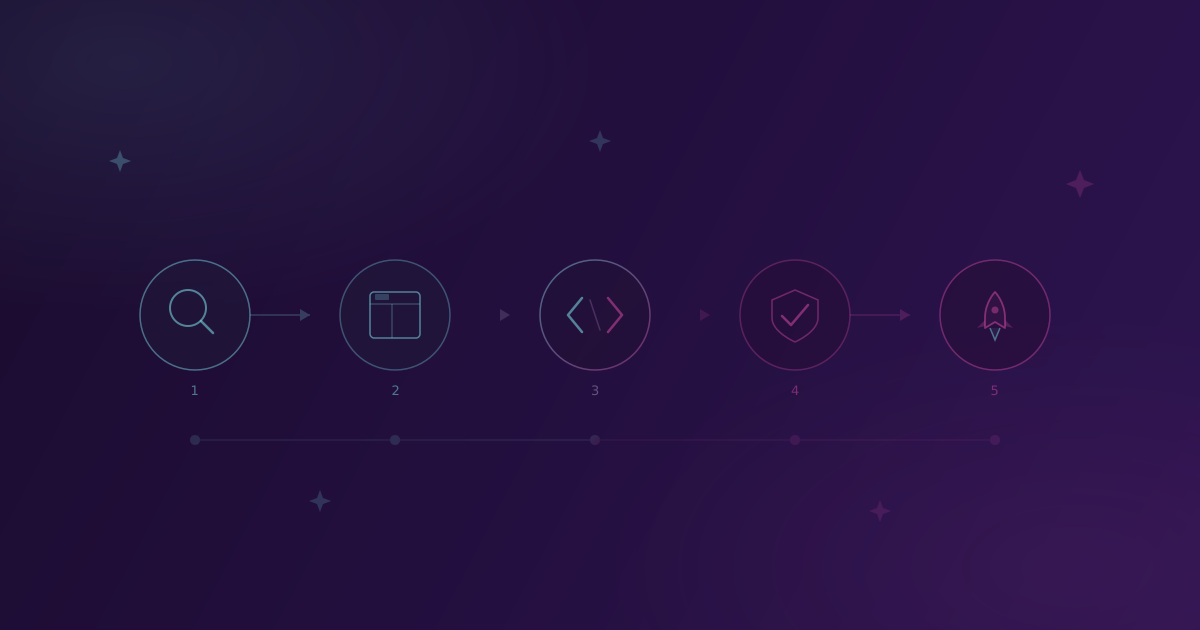
You’ve decided you need custom software. Maybe you’ve outgrown your spreadsheets, maybe your existing tools are holding you back, or you simply don’t have a solution that fits the way you work. But one thing is stopping you: you don’t know what to expect.
What does the process actually look like? How involved will you need to be? Will someone disappear for six months and come back with something you didn’t ask for?
This article walks you through the entire process, step by step. No jargon, no surprises.
1. Discovery: understanding the real problem
The first meeting isn’t about technology. We won’t ask you which database you prefer or whether you have opinions about REST versus GraphQL. That’s our job.
Instead, we talk about your business. How do you currently work? Where are you losing time? What frustrates you? Which processes depend on one person who “keeps everything in their head”?
The goal is to understand the problem before we start thinking about solutions. You’d be surprised how often a client comes in with an idea for a complex application, and the real problem can be solved much more simply.
The output of this phase: a project scope document written in plain language. Not 50 pages of technical specifications, but a clear description of what we’ll build, why, and how you’ll use it. You read it, comment on it, and confirm it before anyone writes a single line of code.
2. Design: seeing it before it’s built
Before we start coding, we create a visual representation of the solution. Depending on the project, that could be a UI wireframe, a data flow diagram, or a simple prototype that shows how the system will work.
Why does this matter? Because changing a plan is cheap. Changing finished code is not. If you notice at this stage that a step is missing from the process or the logic doesn’t match how you actually work, that’s fixed in an hour. The same change after a month of development could mean days of extra work.
Your job in this phase is simple: look at it, try it out, and tell us what you think. You don’t need to know anything about technology. You just need to say “this makes sense” or “this doesn’t work for me.”
3. Development: where the building happens
This is the part that scares most people. You hand the project over to developers and hope for the best. But it doesn’t have to be that way.
A good development process is not a black box. You don’t need to understand code, but you should see progress. We work in short cycles, typically one to two weeks. At the end of each cycle, you have something new to look at and try out.
You see the project moving forward. You can give feedback while it’s still early. If something needs to change, it gets caught in time, not three months later.
Transparency isn’t a bonus. It’s the standard. If your development team disappears for months without any communication, that’s a warning sign, not a sign they’re “working hard.”
4. Testing: before anyone else sees it
Before launch, the application goes through thorough testing. This includes:
- Functional testing: does everything work the way it should?
- Edge case testing: what happens under heavy load, slow networks, or unexpected input?
- Real-world conditions testing: how does the system behave with real data, real users, and real workloads?
But here’s the key part: you test it too. Before the system goes live, you get access to a staging version. You walk through your usual workflows, enter real data, and try everything you’ll use in practice. If something doesn’t work the way you expected, it gets fixed now, not after your clients or employees run into the problem.
5. Launch and what comes after
Launch day is exciting, but the story doesn’t end there.
Software isn’t a product you buy once and forget about. It’s more like a car: it needs regular maintenance. Security patches, new features you realize you want after the first month of use, adjustments as your business changes.
That’s why it’s important to budget for maintenance, not just development. A good partner won’t disappear after launch. They’ll be there when you need an update, when something needs fixing, or when you have an idea for an improvement.
How long does it take?
It depends on complexity, but here are rough timelines:
- Simple tools (tracking, internal dashboards): 4 to 8 weeks
- Business applications (CRM, order management, tracking systems): 2 to 4 months
- Complex platforms (marketplaces, multi-user systems with integrations): 6+ months
These timelines are for the first version that goes live. The software continues to evolve after launch.
Curious about pricing? Get in touch for a free estimate tailored to your specific case.
You don’t need to have it all figured out
If you’re thinking about custom software, you don’t need to come with a finished specification. You just need to know what problem you want to solve. The rest is our job.
Get in touch and tell us about your business. Together, we’ll figure out whether custom software is right for you, and if it is, what the process would look like for your specific situation.
Related Posts
5 Signs Your Business Has Outgrown Spreadsheets
Excel is great for getting started, but at some point it becomes the bottleneck. Spot the warning signs before spreadsheets start costing you real money.
How to Write a Good Brief for a Software Project
You don't need a technical specification. But showing up with 'I need an app' isn't enough either. Here's what actually helps.